
Create routes: automatic or manual
Set checkpoint order with time window and weekdays.
You place checkpoints on a plan under “Plan & routes”. A route is an order of all points, optionally with a time window and weekdays.
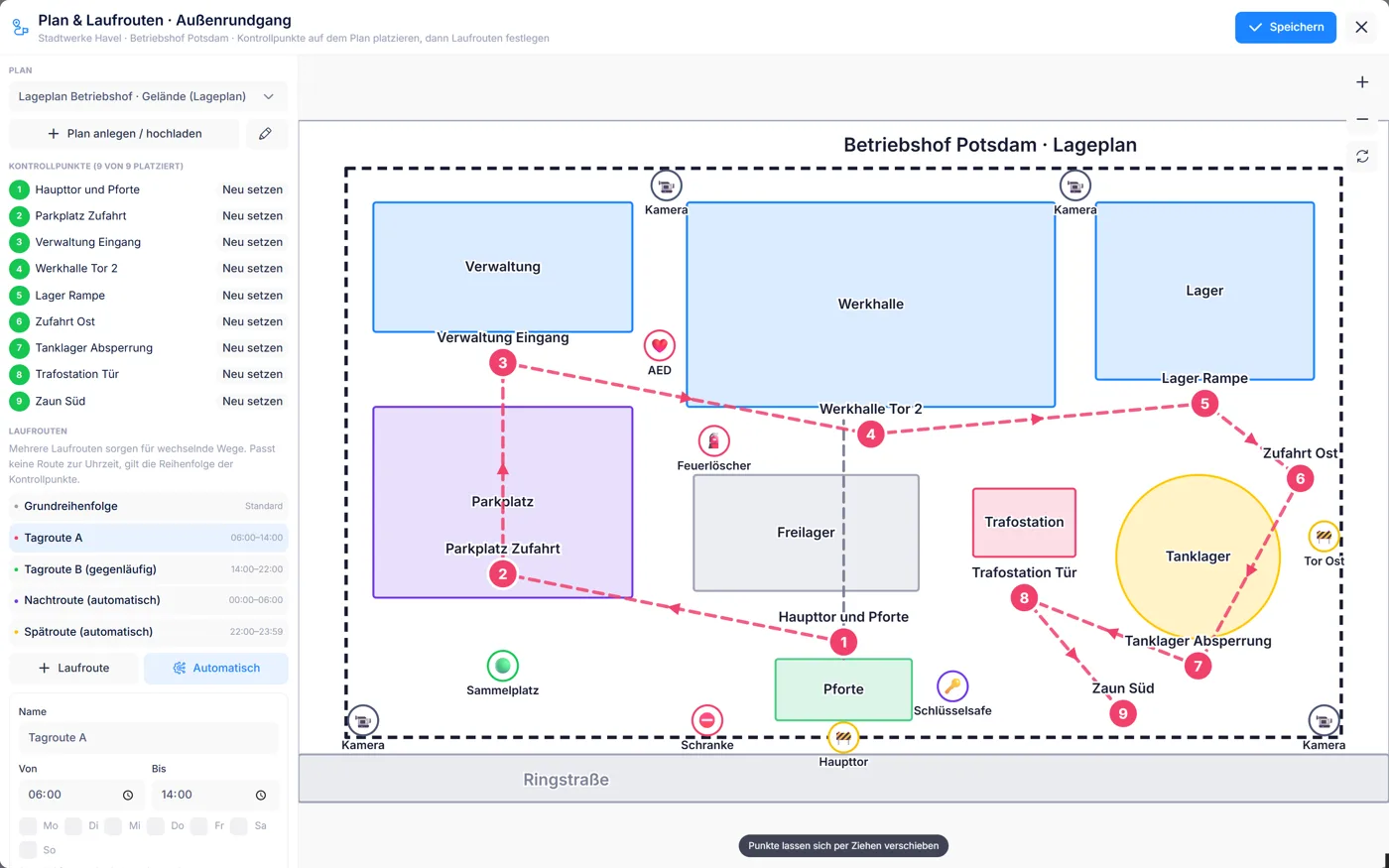
Automatic or manual
- Automatic: Plutoz generates short paths from changing starting points, and without a layout also rotations and mixes. Time windows can be distributed.
- Manual: You set the order yourself.
Which route applies at the start
At the start, Plutoz picks the matching route and rotates through several: the one walked longest ago comes first. If no route fits, the base order applies. The order is recorded per patrol.
Prerequisite
The points must be on a plan. How to create plans: Site plan and building plans.
Was this page helpful?
Question not answered? Write to support